
1
Steps and sessions
A daily step count and a named workout both belong in the same activity view.
Features
Log steps and workouts so the calories you burn sit beside the calories you eat. The point is a fair picture of the day, not a reason to eat back every walk.
Get started free
Sample day
Afternoon walk
45 min · Next to the meal log
Steps
8,400
Workout
45 min
Meals
3 logged
Movement next to meals
Highlights
A daily step count and a named workout both belong in the same activity view.
Burn only means something when it is compared with what you logged at meals.
If your calorie target already includes an active day, do not add the same walk on top and then eat it again.
In the app
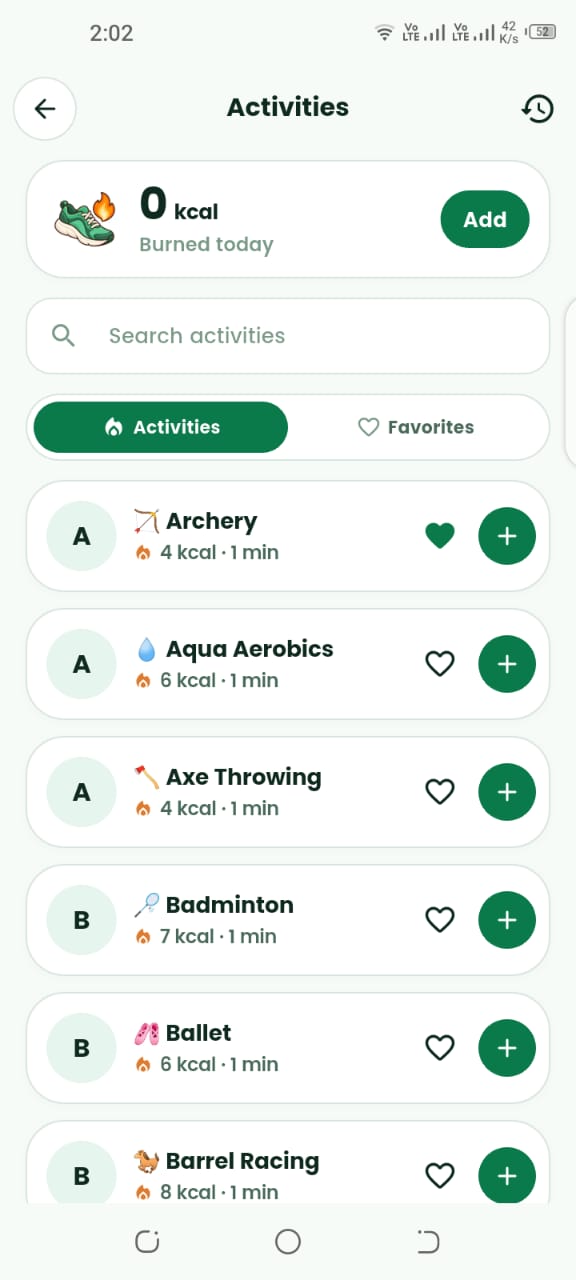
Screens from Calviora for Activity Tracker.
Guide
Step 1
Record the walk, the lift, the ride, or the sport, plus how long it lasted. Calviora keeps that next to the meal log so a training day and a rest day do not look the same.
A short walk is still worth logging if it is part of how you judge the week. One huge workout does not cancel a week of unlogged meals.
Step 2
Maintenance calories already assume a level of daily movement. Use the activity log to see the session. Use the TDEE calculator when you want the full-day number.
If the scale has not moved for two weeks, change food or the weekly plan. Do not keep adding bonus calories for movement that was already in the target.
FAQ
Usually no. If your daily target already assumes an active day, adding the same walk again and then eating it double-counts the movement.
Download Calviora today and claim your 3 free AI food scans.